DENTIX · DENTAL CLINIC MANAGEMENT
From the first booking
to the final balance.
Who’s coming in? What happened last visit? What’s left to pay? Keep the answers together, without piecing your day together from notebooks and messages.
In your browser. In Arabic or English.
- Book the visit
- Open the patient record
- Document treatment
01 / BEFORE THE FIRST APPOINTMENT
Know what’s ahead.
Before the day gets busy.
Start with today’s dashboard instead of asking around reception. See appointment statuses, new patients, and collections in one view.
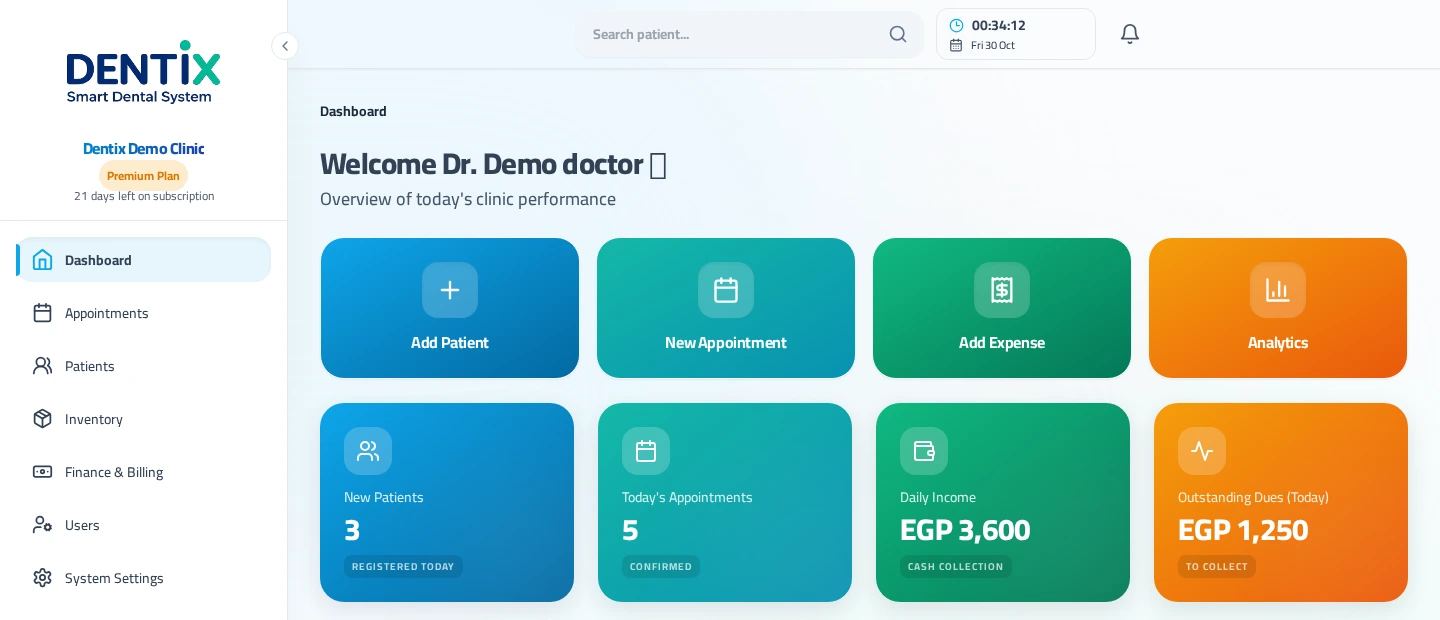
Who’s waiting?
Follow an appointment from booking through the completed visit.
What came in? What’s still due?
Check today’s collections and outstanding amounts, then open the details.
02 / IN THE TREATMENT ROOM
See the tooth.
Keep the context.
Record conditions and procedures on the dental chart. Check the treatment history before the next visit, with clinical details, visits, and patient finances in the same record.
- A visual dental chart for conditions and procedures.
- Treatment and session details to revisit when you need them.
- Payments and the remaining balance in the patient’s file.
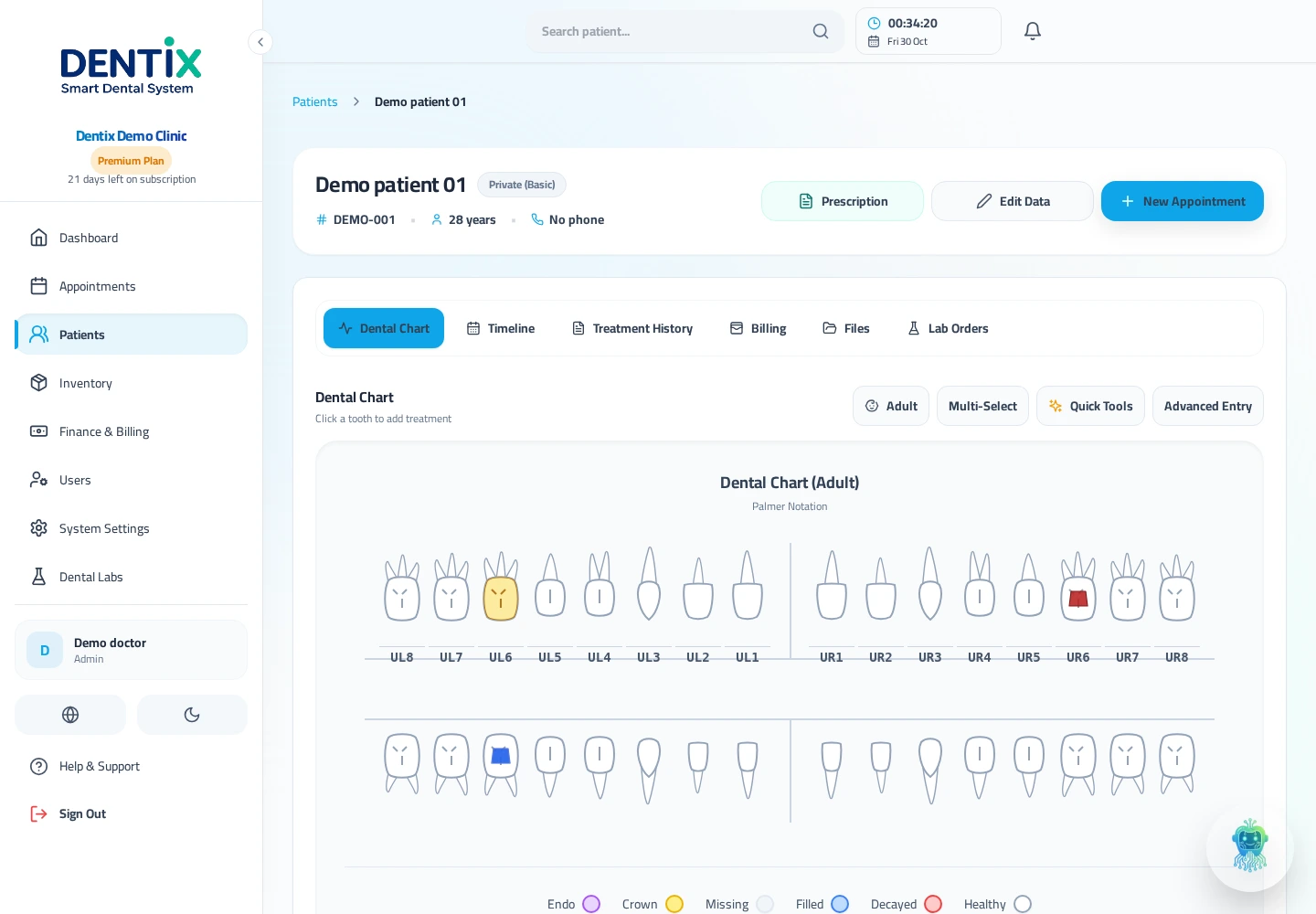
Actual Dentix screens. Fictional demonstration data only.
03 / FROM RECEPTION TO THE CHAIR
One patient record.
A clearer next visit.
Reception can find a patient by name or file number. The dentist can pick up their health and treatment history. From the appointment list to the patient’s record, each step has a place.
Create Clinic Account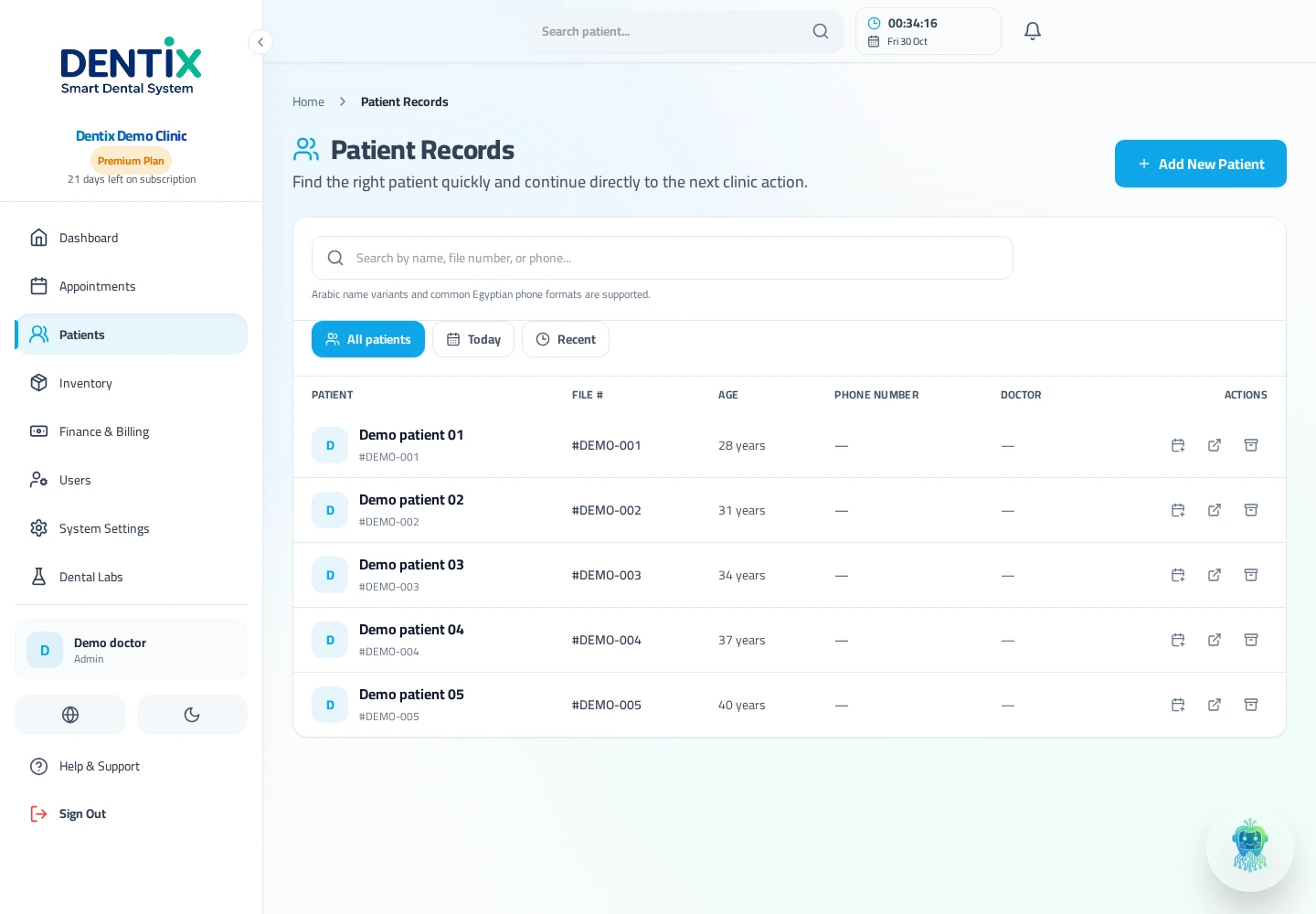
Actual Dentix screens. Fictional demonstration data only.
FAQ / A FEW QUESTIONS
Before you open
your clinic account.
A few practical things you might want to know.
Are these actual product screenshots?
Do I need to install software on every device?
Can reception use Arabic while a dentist uses English?
What can I see in a patient’s record?
How do I start?
YOUR CLINIC DAY, TOGETHER
Get a clearer view
of your clinic.
Start with your clinic account. Keep appointments, patient records, treatment, and finances side by side.
Create Clinic Account